
See how a conversation
becomes progress.
Pick the part of your workday that matters most. Each walkthrough shows what you bring in, what Qconvo helps organize, and what you can take away.
Your meetings, remembered. Your notes, handled.
Transcribe live meetings or supported MP4 videos. Qconvo helps turn the transcript into organized notes and recaps, then lets you revisit saved meeting information when you need it.
Back to all features ↑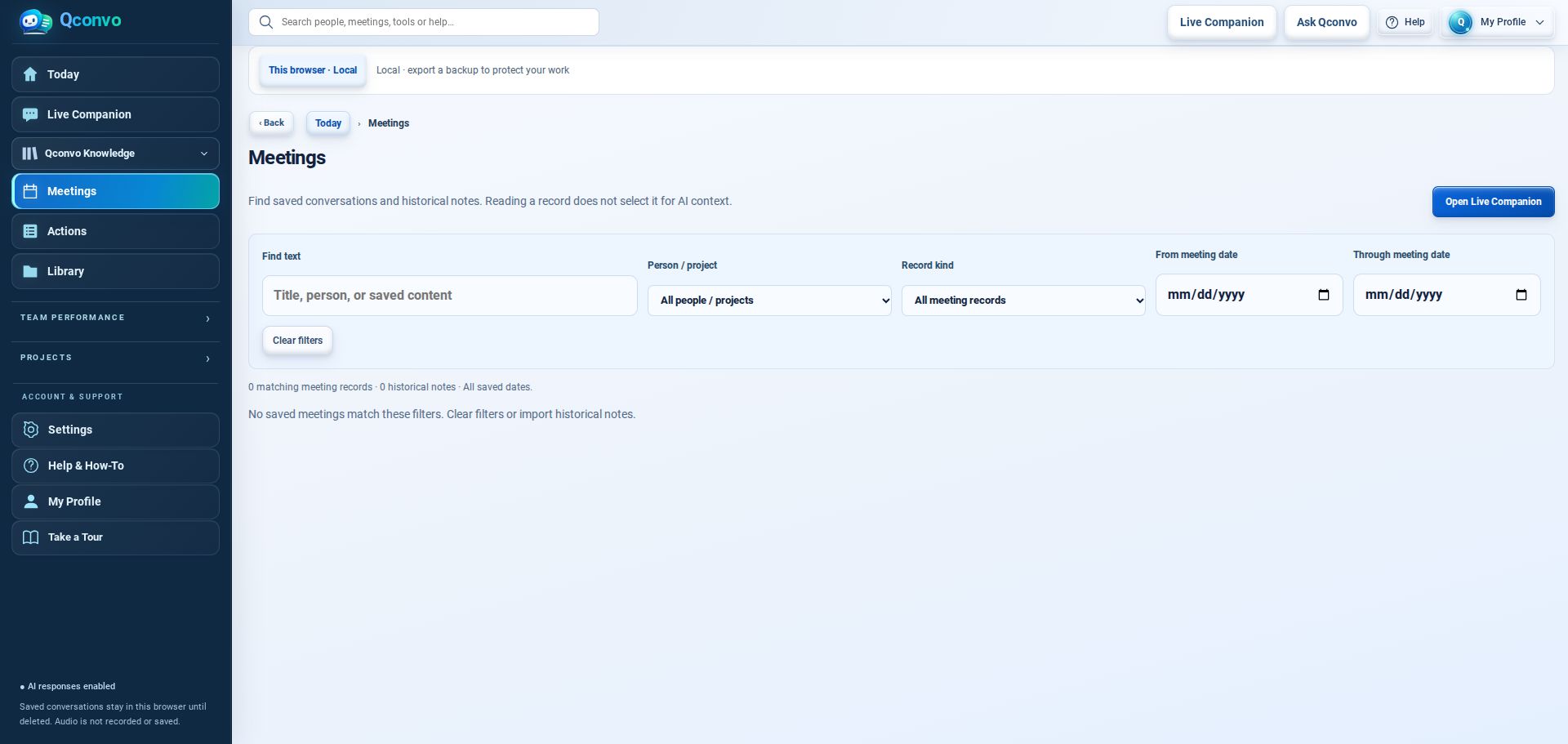
- 1Transcribe your meeting live or from an MP4 upload
- 2Turn your transcription into notes and generate a recap with a click
- 3Ask Qconvo about previous meetings, decisions, and commitments
Screens show feature workspaces in a fresh demo session, not completed customer results.
A decision becomes a next step
Make ownership, due dates, and SMART goals visible after the discussion ends.
Back to all features ↑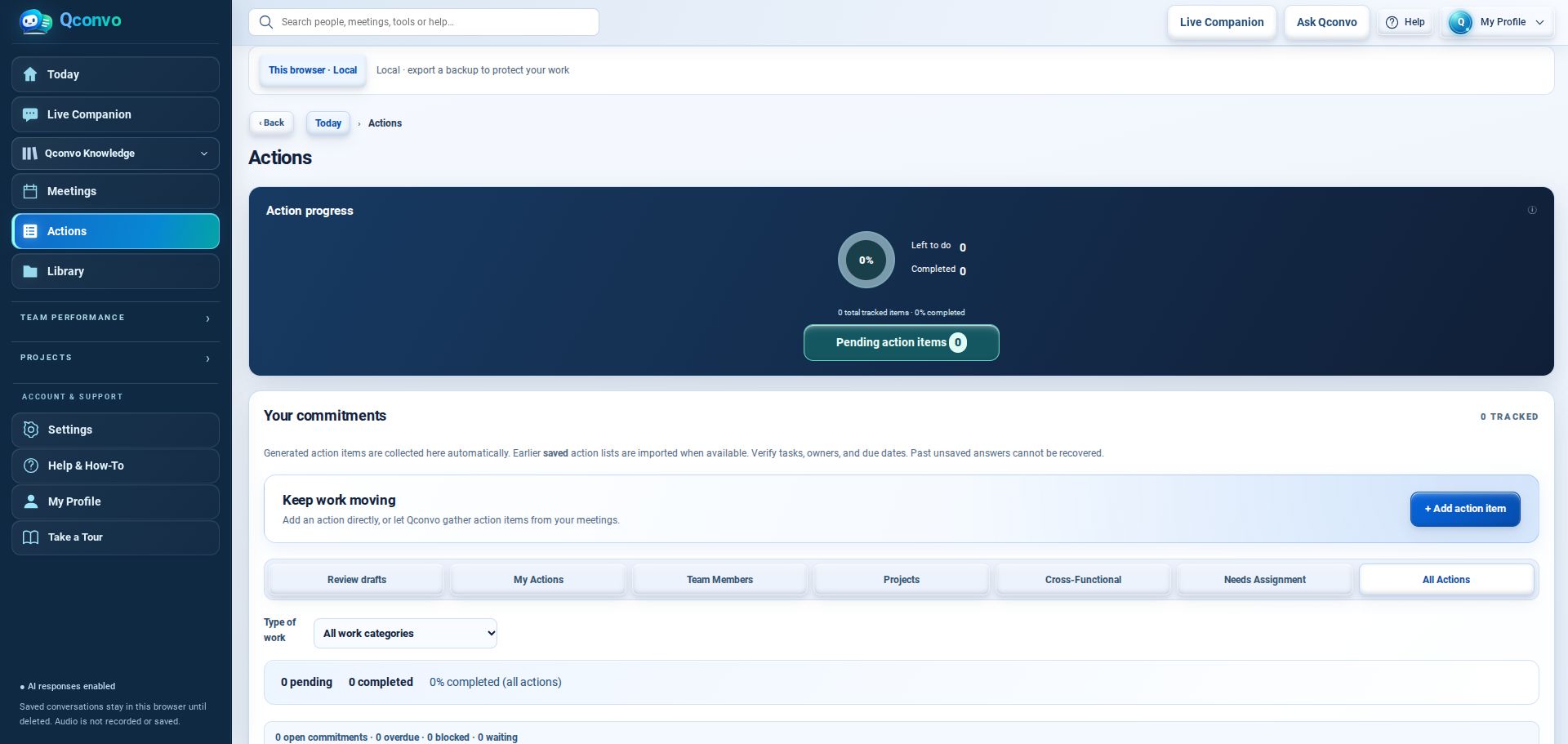
- 1Capture the commitment
- 2Assign an owner and due date
- 3Track progress in your Actions workspace
Screens show feature workspaces in a fresh demo session, not completed customer results.
From evidence to stronger coaching
Turn authorized customer interactions and observed behaviors into specific, standards-based coaching.
Back to all features ↑- 1Choose an authorized interaction or call
- 2Review available evidence and evaluation criteria
- 3Check the draft and approve meaningful coaching
Workflow overview. Review the evidence and any draft assessment before using it for coaching.
Prepare for a better 1:1
Bring relevant expectations, observations and follow-through into one review.
Back to all features ↑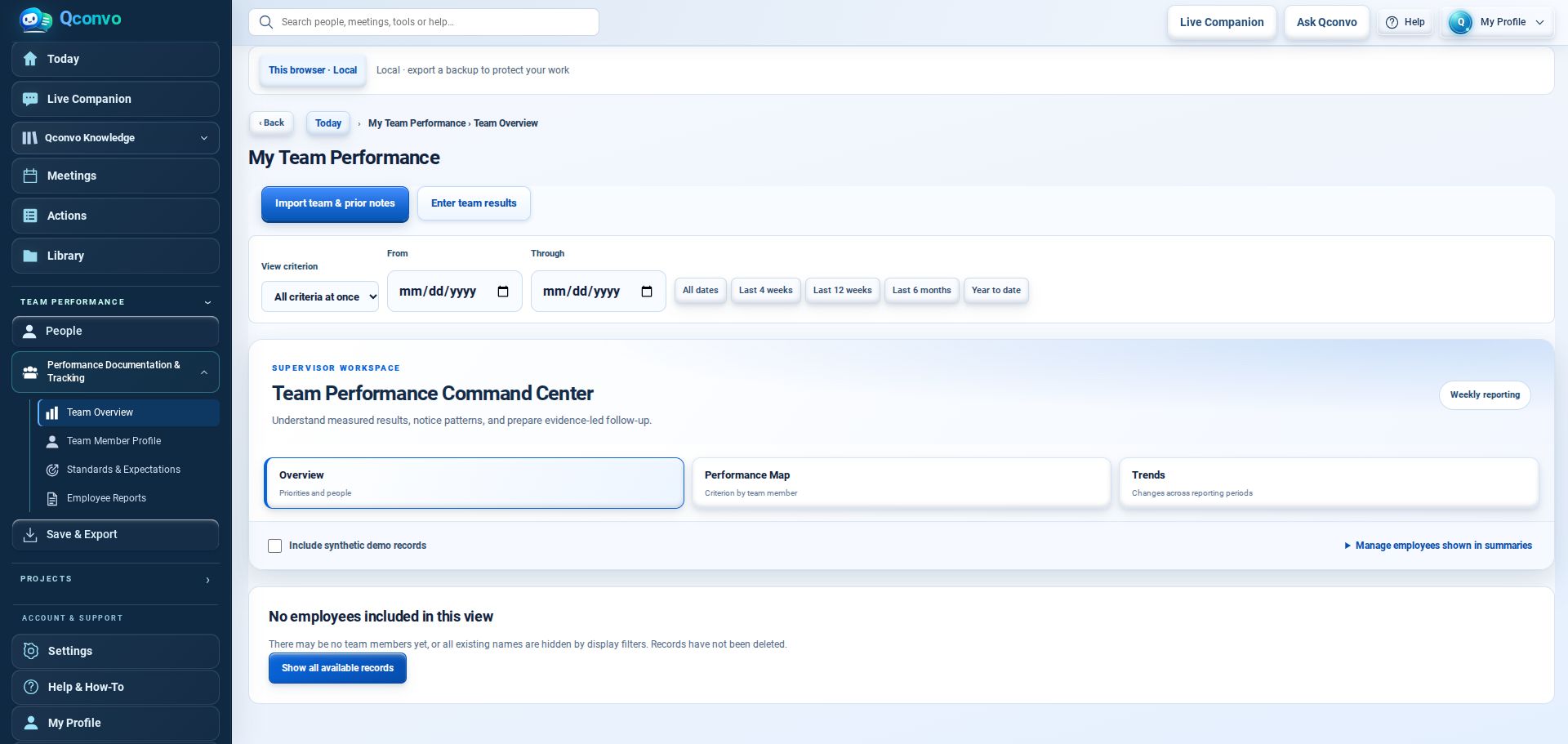
- 1Choose the team member
- 2Review standards and history
- 3Prepare a focused, evidence-based 1:1
Screens show feature workspaces in a fresh demo session, not completed customer results.
Make your own guidance more relevant
Use policies, guides and reference materials as sources of context.
Back to all features ↑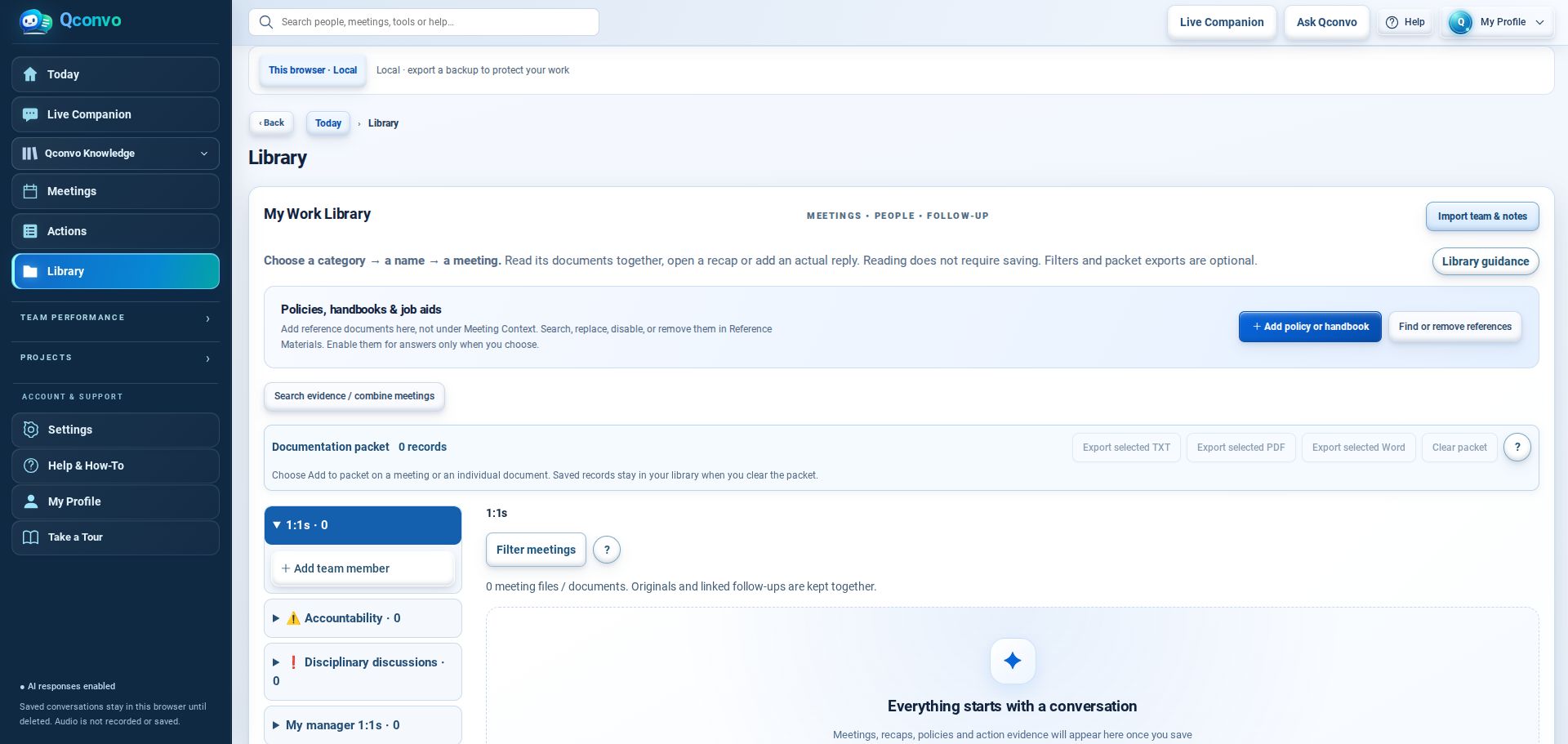
- 1Add your reference materials
- 2Choose what to use as context
- 3Get guidance grounded in your work
Current Library workspace shown in an empty local demonstration session.
A question comes up. Qconvo helps you answer.
As Qconvo transcribes your live conversation, it can recognize questions and surface relevant answers or conversation cues using the context you’ve provided. Stay engaged with the people in front of you while Qconvo helps you find the information you need.
Back to all features ↑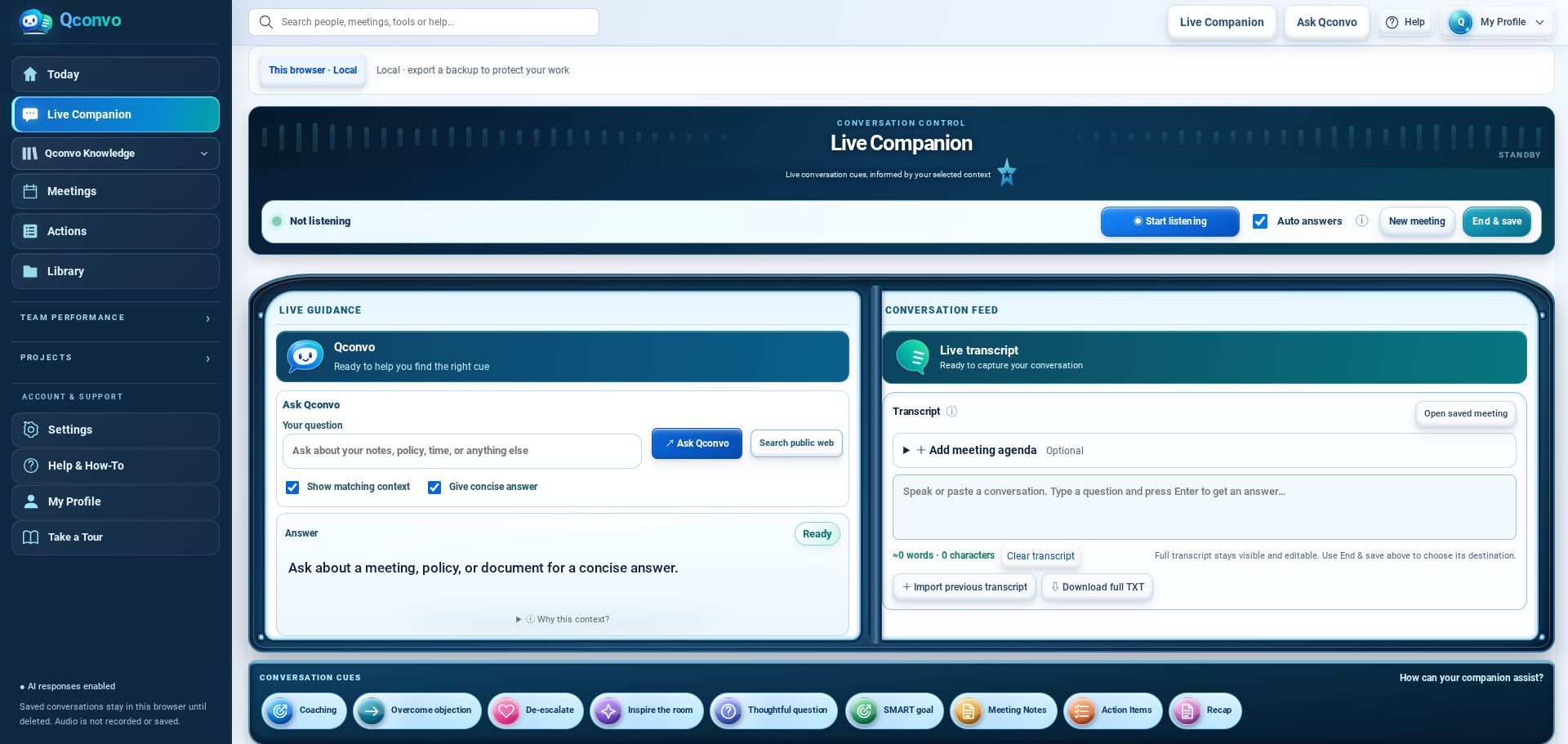
- 1Start live transcription
- 2See relevant cues and answers when a question comes up
- 3Save recap and follow-up actions
Screens show feature workspaces in a fresh demo session, not completed customer results.
Know what to say next, while it matters.
When a question comes up during live transcription, Qconvo can detect it and suggest a relevant response or follow-up using available context. You decide what to say and whether to use the suggestion.
Back to all features ↑“We tried that before. Why should this be different?”
“What happened last time that you’d want us to avoid?”
Suggested phrasing · Review before using- 1Qconvo detects a question in the live transcript
- 2Review the suggested response or follow-up question
- 3Respond naturally, in your own voice
Illustrative example of the intended experience, not a claim that a specific response is guaranteed.
Give every project a clear next step.
Keep project conversations, ownership, milestones, action items, and SMART goals connected, so the work doesn't disappear when the meeting ends.
Back to all features ↑- 1Set up a project and its goals
- 2Capture responsibilities and follow-up actions
- 3Review progress alongside relevant context
Workflow overview. Keep project goals, ownership, and follow-through connected.
Your knowledge comes with you.
Bring meeting information, saved notes, employee standards, policies, and reference documents into Qconvo rather than recreating everything manually. Review imported information before relying on it.
Meet Qconvo ↑- 1Select supported files containing your current information
- 2Review extracted people, dates, standards, and context
- 3Confirm your workspace and choose your companion name
Actual import results vary by file content and format. Review information before saving.